How To Create A Shop On Nefxi and Get Verified

Nefxi is a growing online marketplace in Kenya that connects buyers and sellers across different counties, including Nairobi, Mombasa, Kisumu, Nakuru, Eldoret, and beyond.
Whether you run a small business, a retail shop, or a growing enterprise, creating a shop on Nefxi gives you access to powerful business tools that can help you reach more customers, promote your products, and increase sales.
This guide walks you through the process of creating a shop on Nefxi, verifying your business, and utilizing the available business tools to maximize your success on the platform. You'll be ready to start selling and growing your online presence in Kenya's competitive e-commerce market.
Why Create a Shop on the Nefxi online marketplace?
- Reach customers across Kenya.
- Post product and service listings on Nefxi for free
- Build trust with a professional shop profile.
- Access business tools and analytics.
- Receive customer reviews.
- Verify your business for increased credibility.
- Promote listings to boost visibility.
How to Create a Shop on Nefxi
Nefxi online marketplace allows users to easily register a personal account to sell and buy products/services, or to register a shop. If you are a business, it is highly recommended that you register as a shop.
To create a shop, you will need a valid email address, an active phone number, a business name, business location details, a KRA PIN certificate, an owner’s ID/passport copy, a Business Registration Certificate, and a County Business Permit (Optional).
Here are the steps to take:
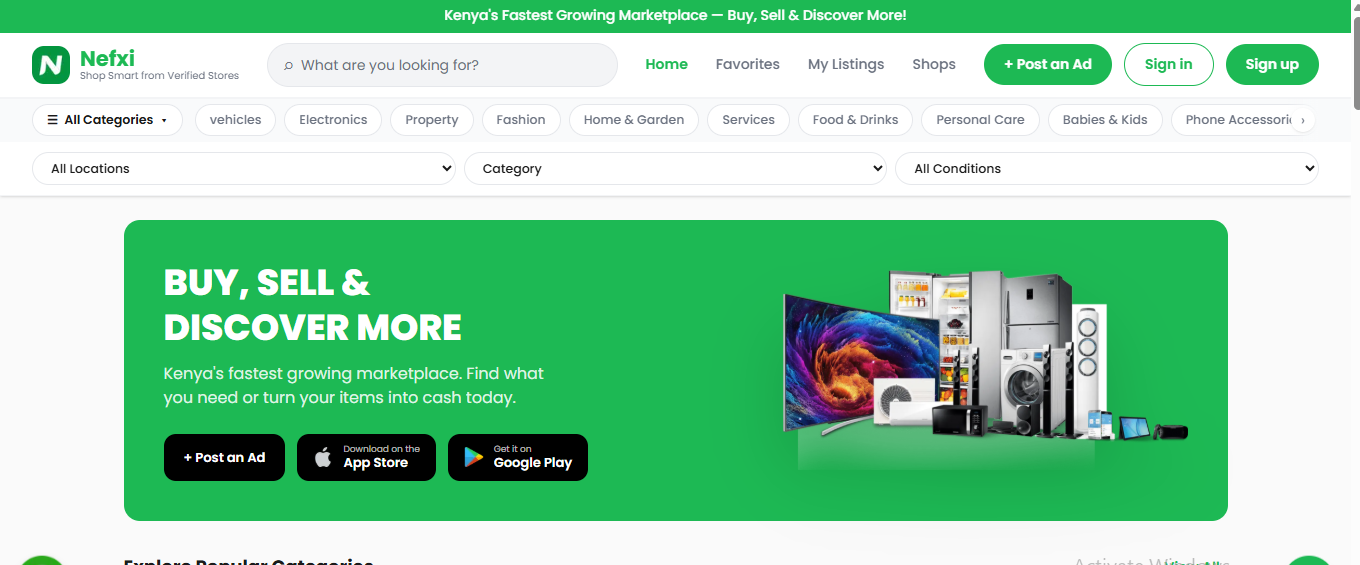
Step 1: Access Nefxi Online Marketplace
The first step is to access Nefxi via its website or app, which you can download from the App Store or Play Store. The interface is straightforward to use, which makes it easy to carry out your operations.
Step 2: Click on Sign Up to Create a Shop Account.
Click Sign Up to register & create a shop. Alternatively, click on Shops on the top menu bar to register a shop. Use the method you feel is most convenient for you.
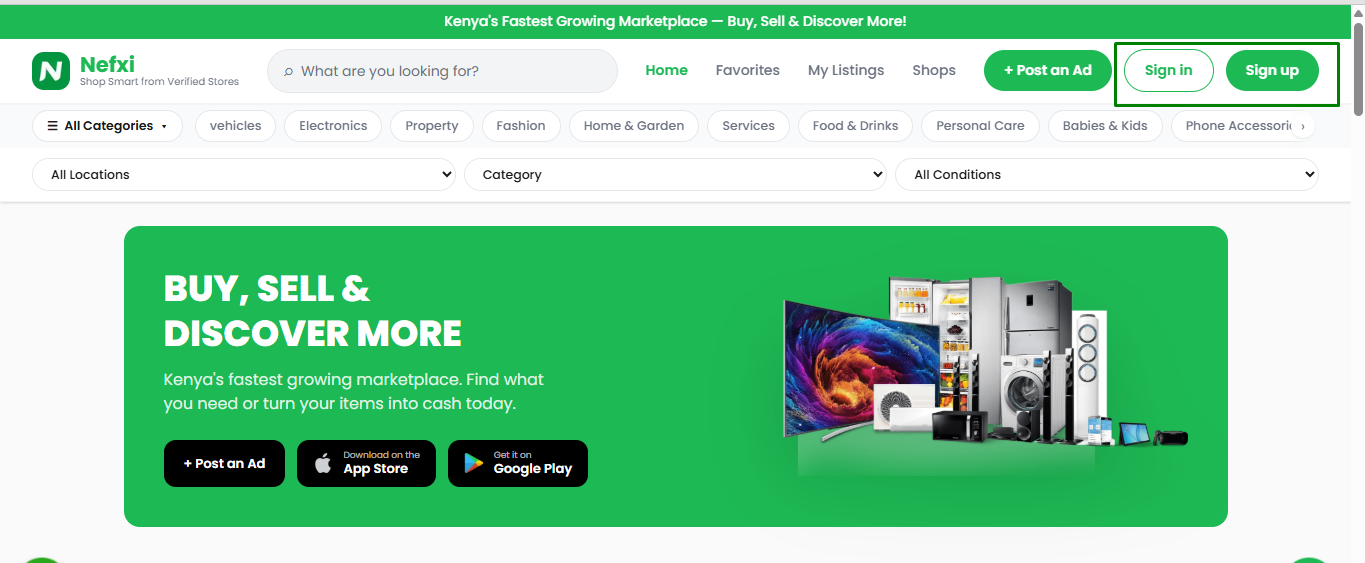
If you previously created a personal account and now want to register a shop, click the shops option in the top menu bar. On redirect, click Register a shop on the Nefxi online marketplace.
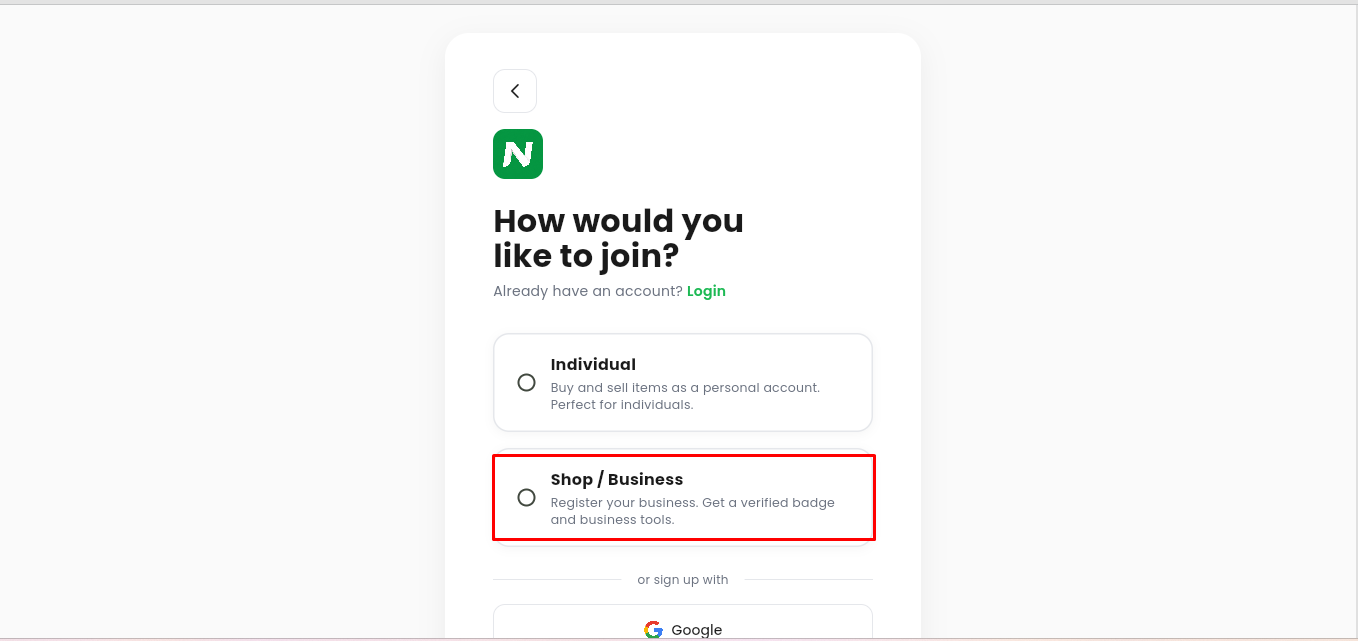
Step 3: Choose the Shop Option.
Proceed to choose the shop/business option to register a shop. The individual option is best if you just want to create a personal account to make purchases and sell items. You can get more information on how to create a personal account here.
However, the shop option is more advantageous if you run a business. It provides tools to boost your product promotion on the Nefxi marketplace, which serves people in Kenya.
Step 4: Fill In Your Personal Information
On redirect, fill in your first name, last name, email address, and phone number. Be as accurate as possible.
Additionally, provide accurate information for ease in the business verification process.

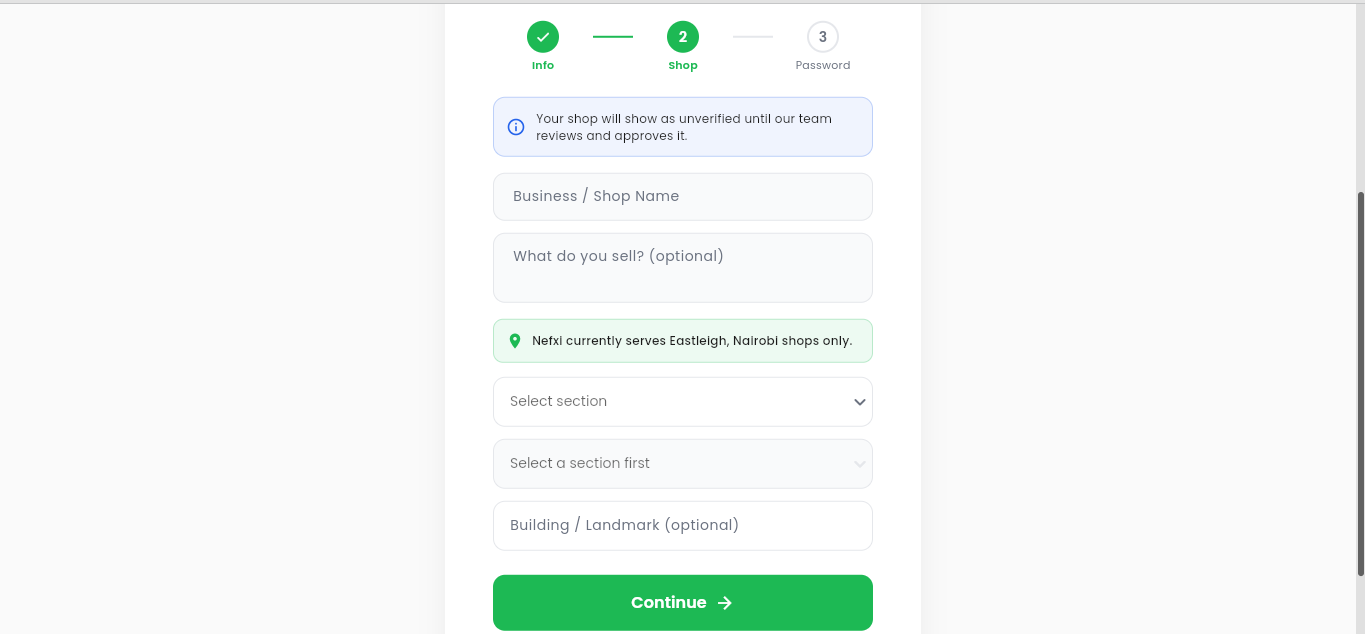
Step 5: Fill in Your Shop’s Details
Once you're done filling in your personal details, proceed to fill in the shop’s details. Be as accurate as possible to make it easy for customers to find your shop if they want to visit in person.
Also, it will be easy to gauge the delivery amount. You need to provide information about your business or shop’s name, the items you sell, your specific location, and a landmark.
Use the correct information, as the verification process entails cross-checking the details against the documents you provide. Once done, click “continue”.
Step 6: Create A Password
Proceed to create a password. When creating a password, ensure it is 8 characters long, use a mix of letters, special characters & numbers, and choose one you will easily remember.
Once done, agree to the terms of service and privacy policy after you review them.

Step 7: Edit Your Profile
You will then be redirected to your shop’s profile page, where you can change your profile picture & cover image, see active listings, total listings, total views, favorites, sales, reviews, etc.
Also, remember to check your email to verify your account on the Nefxi online marketplace in Kenya. Proceed to click the option to post an ad to create your first listing.
When you click the edit shop profile option, you can modify your business name, description, address, county, business phone, and business email. The information is highly beneficial for building trust with customers.
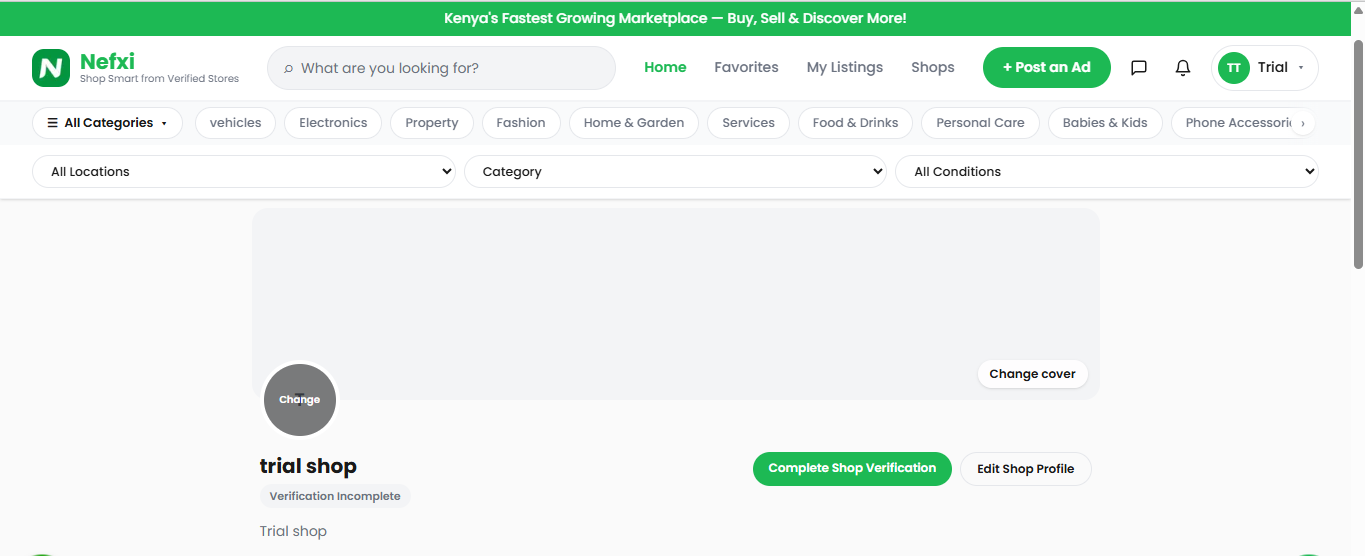
Now you can comfortably create your first listing. You can check out our guide to creating your first listing on Nefxi here . Plus, the tips and tricks of creating a product listing that sells fast in Kenya.
How to Get Your Shop Verified On Nefxi Online Marketplace In Kenya.
Verifying your shop on Nefxi helps build trust with customers, increases credibility, and can improve your chances of making sales.
There are many marketplaces in Nairobi; however, you need to stand out from the rest and attract customers from across Kenya, even amid the vast pool of options.
By getting verified, you increase customer trust, earn a verified badge on your profile, boost credibility, increase conversion rates and visibility, and reduce buyer hesitation.
Here's how to complete the verification process.
Step 1: Click On the Verification Option
Therefore, to improve credibility, it is best to get verified. On your shop’s profile page, click on the “complete shop verification” option or on the prompt above. Your shop verification is incomplete. Complete shop verification.
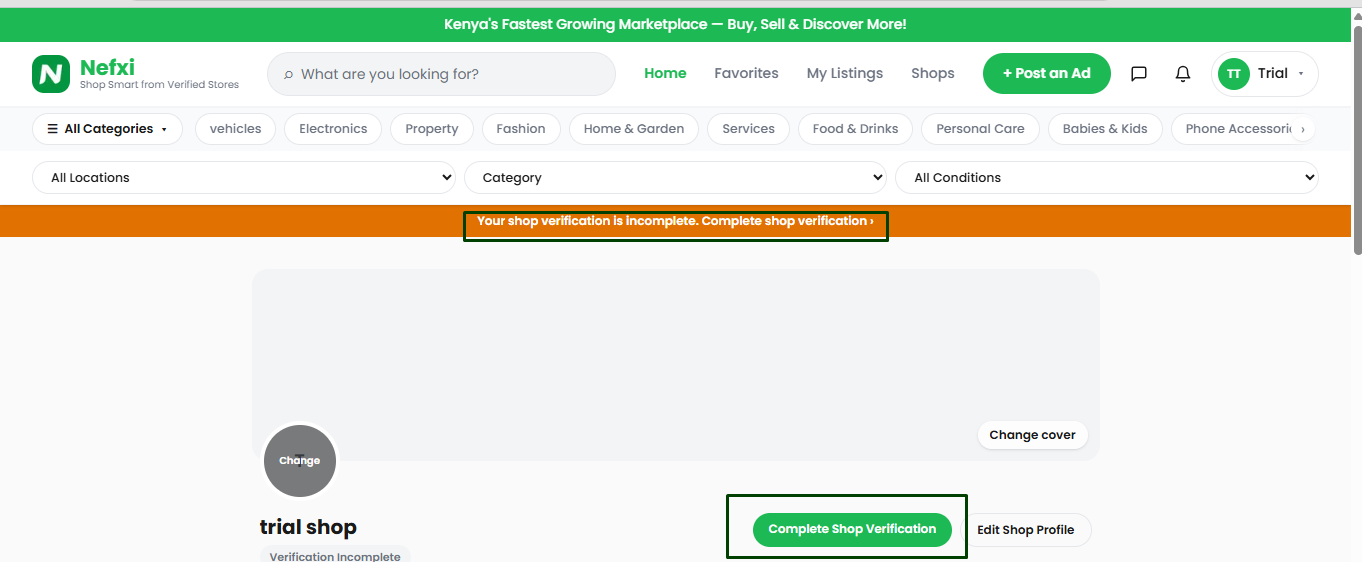
Step 2: Provide the Business Information
To verify your shop, provide your shop's name, what you sell (optional), business address, location, county, subcounty, phone number, and email.

Step 3: Upload The Required Documents Of Your Business To Verify
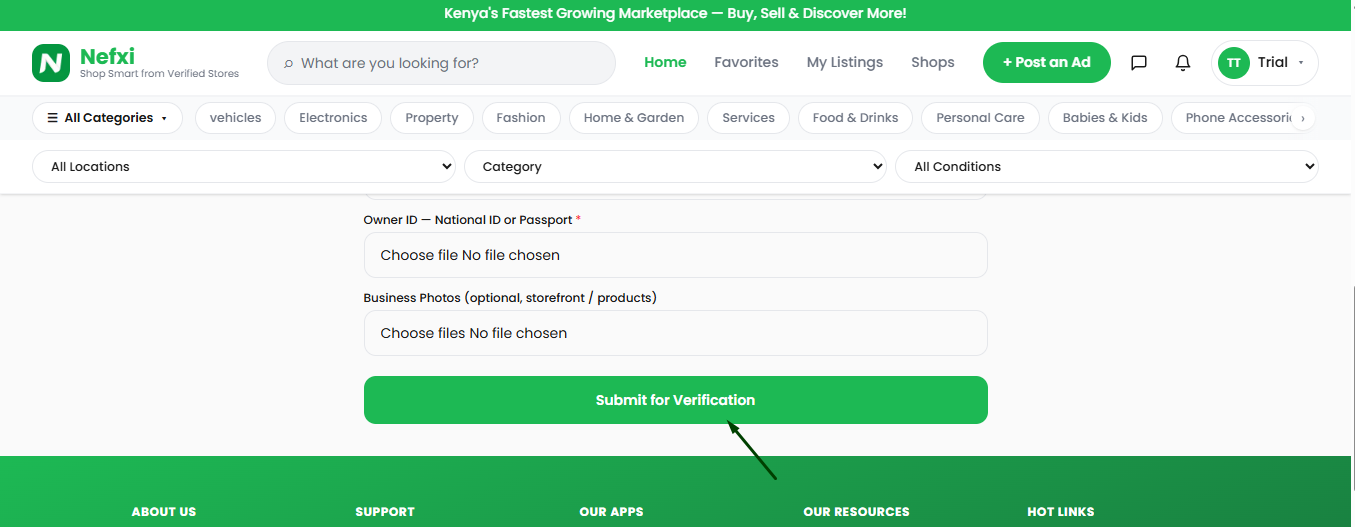
Proceed to upload the required documents, which include the KRA PIN certificate, business registration certificate, and owner’s ID or passport. All of these are required.
However, uploading a County business permit and photos of your business is optional.

Step 4: Make Application
Once done, click Submit for verification. The team takes 24 to 48 hours to review and verify your shop.
The Importance of Getting Verified on Nefxi Online Marketplace
In today's digital marketplace, trust is one of the most important factors influencing a buyer's purchasing decision.
As online shopping continues to grow in Kenya, customers are becoming more cautious about who they buy from. This is where getting verified on Nefxi can make a significant difference.
1. Builds Trust, Confidence, and Credibility
Having a verified badge helps build trust, confidence, and credibility with potential customers. Buyers are more likely to trust both your products and your seller profile because your identity has been verified by the Nefxi online marketplace.
Customers are also more willing to contact you, inquire about your products, and complete purchases because verification demonstrates that you are a genuine seller offering authentic listings.
2.Improves Your Professional Image
A verified badge enhances your professional image and demonstrates your commitment to conducting business transparently and responsibly on Nefxi. It shows that you take your online business seriously and helps your profile stand out from unverified sellers.
3. Enhances Marketplace Safety
Verification contributes to a safer online marketplace for both buyers and sellers. By verifying seller identities, Nefxi helps reduce fraudulent activities, fake listings, and suspicious transactions, creating a more secure environment for everyone.
4. Increases Product Listing Visibility, Customer Engagement, and Loyalty
Buyers often feel more comfortable interacting with verified sellers. As a result, verified accounts are likely to receive more inquiries, messages, calls, and potential sales
Verification also helps build stronger customer relationships. When customers have a positive experience with a trusted seller, they are more likely to make repeat purchases and recommend your products or services to others.
5.Gives You a Competitive Advantage
In a marketplace where multiple sellers may offer similar products or services, a verified badge can be the factor that convinces a buyer to choose your listing over another.
Verification helps differentiate your business from competitors and strengthens your reputation as a reliable seller. As your credibility grows, so does customer trust, ultimately contributing to increased sales and long-term business growth.
6. Create more product listings
As a verified seller, you can create up to 150 product listings on Nefxi platform. Therefore, you can showcase more items on your Nefxi shop and increase chances of making sales.
Conclusion
Creating a shop on Nefxi is a straightforward process that opens up opportunities to reach customers across Kenya.
From setting up your account and creating listings to verifying your business and using advanced business tools, Nefxi provides everything you need to establish a professional online presence.
To get the best results, ensure your shop information is accurate, complete your verification process, and regularly update your listings.
Verified shops often enjoy greater customer trust, improved visibility, and better chances of making sales. Create your shop today, start selling online successfully, and take advantage of Kenya's rapidly growing online marketplace.
Frequently Asked Questions
1. Is it free to create a shop on Nefxi?
Yes, creating a shop on Nefxi is free. After registration, you can create listings and explore various business tools available on the platform.
Additional promotional features or subscriptions may be available depending on your business needs.
2. How long does shop verification take on Nefxi?
Once you submit all required verification documents, the review process typically takes 24 to 48 hours. Ensure all submitted information matches your business documents to avoid delays.
3. What documents are required to verify a shop on Nefxi?>
To verify your shop, you may be required to provide a KRA PIN Certificate, Business Registration Certificate, Owner's National ID or Passport (required), valid County Business Permit, and business photos (optional)
Cover Image courtesy: Unsplash.com