How to Create an Account on the Nefxi Online Marketplace & Post Your First Listing in Kenya.

Selling online in Kenya is growing fast, and more buyers are turning to trusted marketplaces to shop for products and services conveniently. Whether you’re selling as an individual or running a business, Nefxi makes it easy to connect with customers across Kenya.
With Nefxi, you can create an account in just a few minutes and start posting your products right away—whether it’s electronics, fashion items, furniture, beauty products, footwear, vehicles, or even services.
Here is a simple step-by-step guide to creating your Nefxi account and publishing your first listing.
How to Create an Account on The Nefxi Online Marketplace
It is not that complicated to create a Nefxi account. In just a few steps, you will create an account & post a listing or contact a seller to discuss a product or service and arrange payment directly with them.
Step 1: Access the Nefxi Website or App.
First, access the Nefxi website or the app if you have already downloaded it on the Play Store or the App Store.
Make sure you have a valid email address, a phone number, and a secure password to ensure a quick, smooth sign-up process.
Step 2: Create an Account or Sign In
If you don’t have an account, click on Sign-Up to create an account.
If you already have an account, click on Sign-In to access Nefxi and create a product listing.
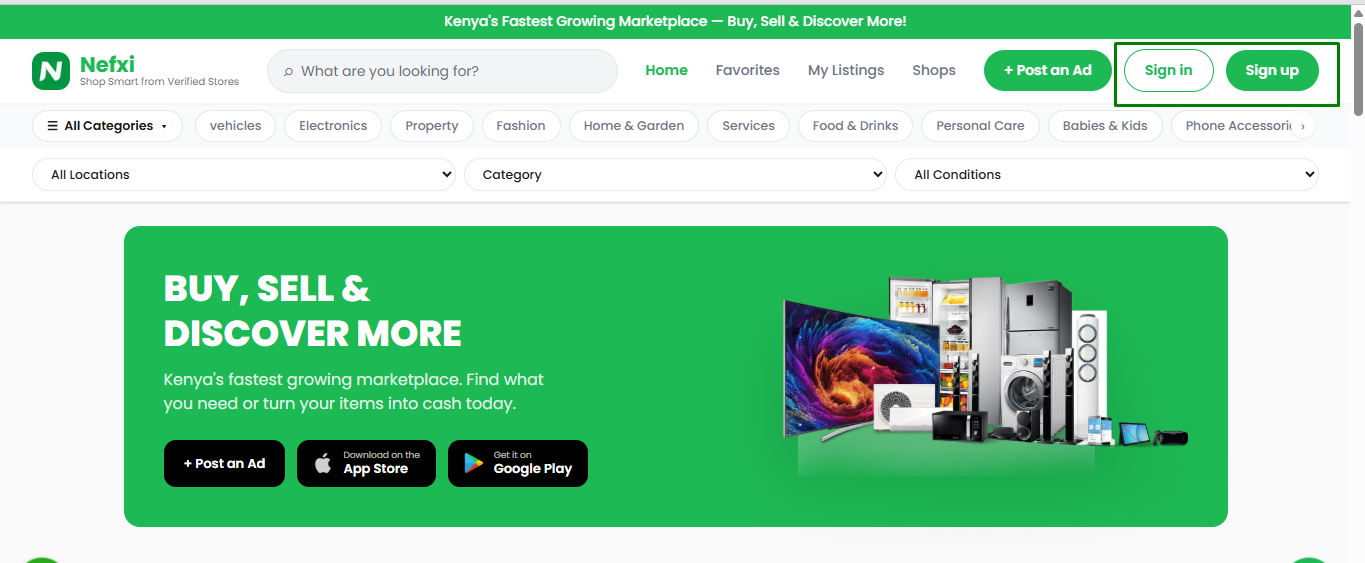
Step 3: Sign Up to The Nefxi Online Marketplace.
Next, sign up for Nefxi; select how you would like to join, either as an individual or as a shop/business.
The individual account is ideal if you just want a personal account to either make purchases or sell items. Plus, you can also browse products and contact sellers.
On the other hand, if you sign up as a shop/business, you can register your business profile, access seller tools, build trust with customers, and earn the verified badge. This option is best for registered businesses, service providers, or businesses seeking greater visibility.
In fact, if you plan to sell regularly, a business account can help customers identify your brand faster.

Step 4: Provide your Personal Details
Proceed to provide your personal details: first name, last name, email address, and phone number. Double-check that all the details are correct. Once done, click on Continue.
Providing your phone number is crucial to help buyers contact you easily and allow important account updates from Nefxi.
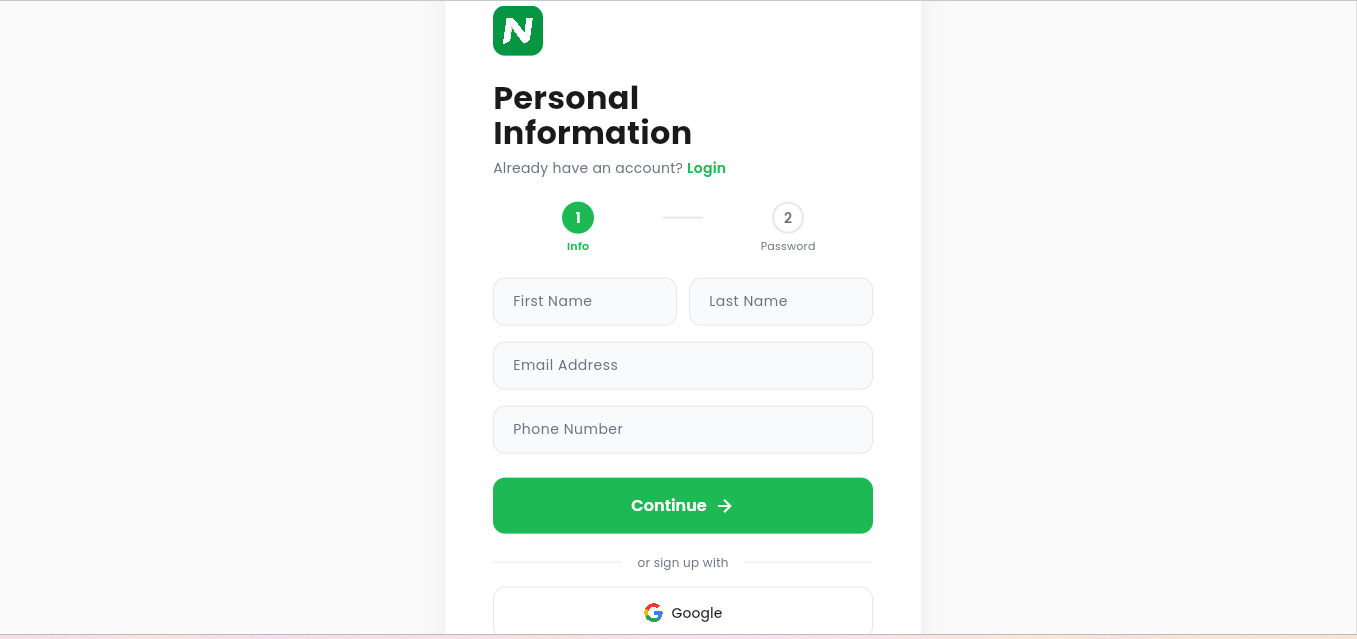
Step 5: Create a Password
Next, create a password for your Nefxi account. A good password should be easy to remember, include letters & numbers, and be secure enough.
However, even if you get locked out, you can always reset your password.

Agree to the terms of service & privacy policy. And click “create account”.
You will automatically receive a verification email from Nefxi support. Open your email and click the verification link.
Congratulations! You can now start buying or selling in the Nefxi online marketplace.
How to Create a Product Listing on Nefxi.
As a seller, here is how to create a product listing on Nefxi.
Step 1: Access Nefxi on the Website or App
First, access the Nefxi website or app and log in or sign up. Use the correct credentials while signing in. If you haven’t signed up, use the steps above to create a Nefxi account seamlessly.
Proceed to click the “post an ad” option to open the product listing form.
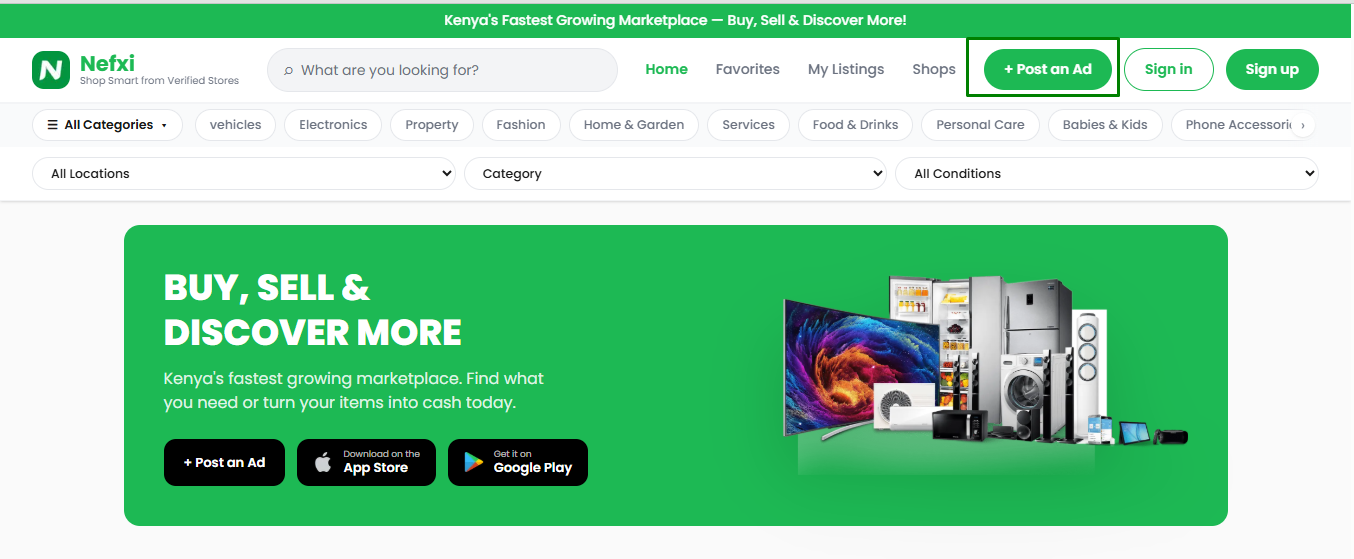
Step 2: Provide the Product Title and Description
Next, proceed to provide the product title and description. Be as elaborate as possible in the title and product description. You can get more insights on creating an ideal title and description here.
For instance: Samsung Galaxy A54 128GB – Excellent Condition, Wooden Office Desk – Nairobi Delivery Available
The description should include the product features, size, brand, color, condition, delivery options, and how the product will help buyers.

Step 3: Write the Product Price
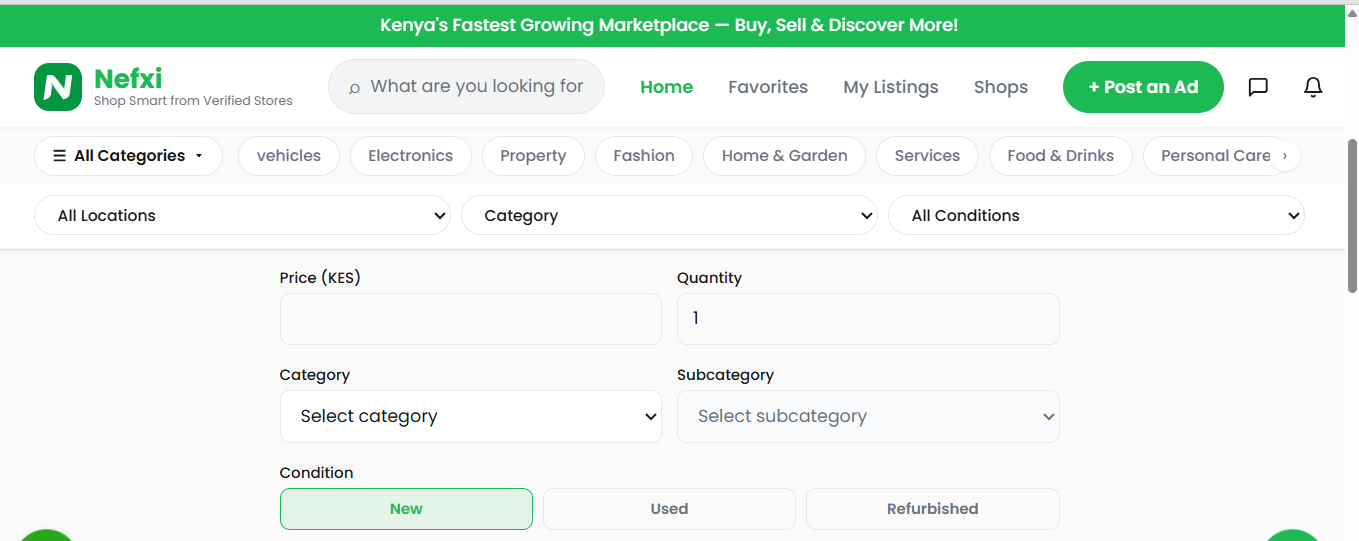
Next, write the product price and quantity for each product. Be as accurate as possible to prevent misinformation.

Step 4: Choose a Category and Subcategory
Proceed to choose a category and subcategory of the product you want to sell. Eg. Phone accessories - screen protector.
When choosing a category, choose the one that best suits your product. Also, don't forget to choose a subcategory, as it is essential to the filter system.

Step 5: Choose the Condition of the Item and Add any Relevant Tags
Next, choose the item's condition: new, used, or refurbished. Ideally, also add relevant tags that can help users easily choose your item. The tags can include phone, furniture, LG, etc.
Step 6: Attach the product or service photos
Choose product photos from your gallery or take good pictures of the products you want to sell on Nefxi. Nefxi online marketplace allows you to upload up to 10 photos; therefore, you can provide different side views of the product without any problem.
For the best photo results, use clear lighting, show front and side angles, capture important details, use a clean background, and include packaging if important.
Good product photos can help buyers trust your listing and respond faster.

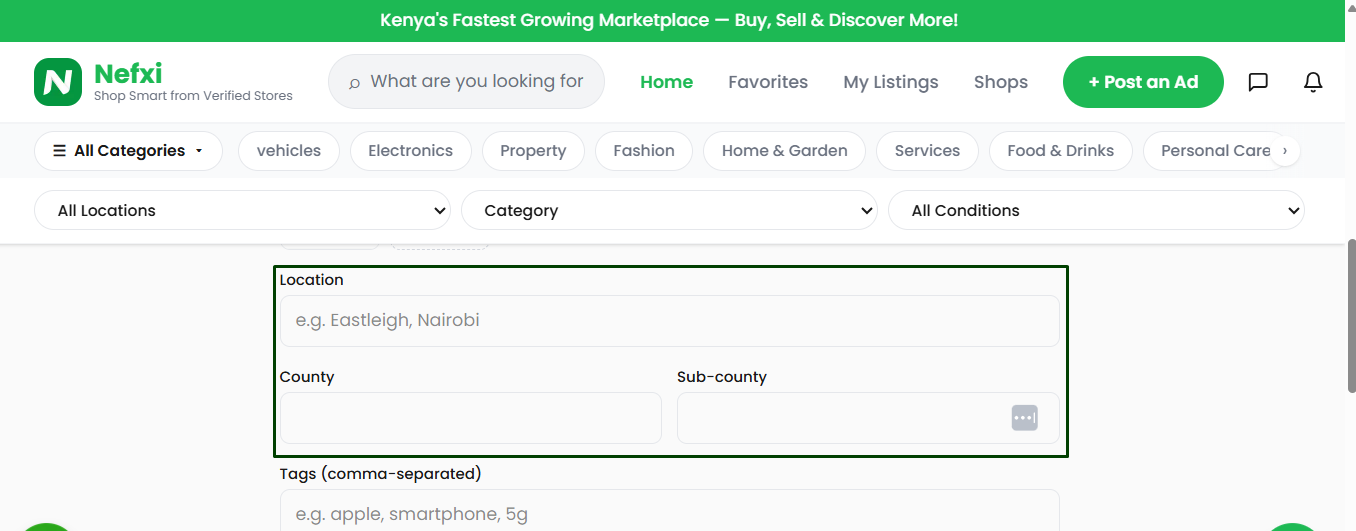
Step 7: Proceed to Choose Your Location
Next, proceed to choose your location. Eg Nairobi - Kamukunji, Nairobi – Westlands, or Mombasa – Nyali. The location will help the buyer find your shop and make it easier to gauge delivery costs or decide whether to visit the shop in person. Be as accurate as possible.
Step 8: Choose Whether the Price is Negotiable
Next, choose whether the price is negotiable and the item's delivery information. Provide as much information as possible.

Step 9: Publish the Product Listing
Proceed to click on the option to “post listing” to publish your product listing. Alternatively, you can opt to draft the listing to publish later.

The Importance of Having a Verified Seller Badge for Trust and Safety in Nefxi
A verified seller badge on Nefxi plays a major role in building trust, improving safety, and boosting overall marketplace confidence for both buyers and sellers.
Here’s why it matters:
1. Builds Instant Buyer Trust
Online buyers often fear scams or low-quality listings. A verified badge indicates that, as a seller on Nefxi, you have been reviewed and approved by the platform. Buyers will be more confident in your products and complete purchases without hesitation.
2. Reduces Fraud and Fake Listings
Verification helps filter out suspicious or malicious accounts - it reduces the chances of counterfeit products, misleading ads, and impersonation within the marketplace.
3. Improves Sales Conversion Rates
Buyers are more likely to click, engage, and purchase from verified sellers on Nefxi. The badge acts as a trust shortcut, increasing visibility and conversion compared to unverified accounts.
4. Enhances Platform Safety
When sellers are verified, the overall ecosystem becomes safer. It creates accountability by confirming users' identities, making them less likely to engage in dishonest behavior.
5. Strengthens Brand Credibility for Sellers
Having a verified badge boosts a seller’s reputation. It positions you as legitimate and professional, which is especially important in the competitive Kenyan market.
6. Encourages Repeat Customers
Trust leads to satisfaction, and satisfaction leads to loyalty. Buyers who have positive experiences with verified sellers are more likely to return for future purchases.
7. Helps Platform Moderation and Dispute Resolution
Verification provides an added layer of traceability. If issues arise, the platform can easily investigate and resolve disputes using verified seller information.
Start Selling on Nefxi Online Marketplace Today
Whether you’re clearing out personal items or growing a business online, Nefxi makes selling simple. Create your account, upload your products, and reach more buyers across Kenya today.
To be at the top of the game: upload high-quality photos, use clear product titles, reply quickly to inquiries, price fairly, keep product information accurate, update sold items promptly, and offer clear delivery options. Start selling today on the Nefxi online marketplace.
Frequently Asked Questions
1. Is creating a Nefxi account free?
Yes, creating an account on Nefxi is free.
2. Can I sell on Nefxi as an individual?
Yes, you can sign up as an individual and start selling immediately.
3. Can businesses register on Nefxi?
Yes, businesses can create a shop profile and access extra tools.
4. Is Nefxi available across Kenya?
Yes, buyers and sellers can connect from anywhere in Kenya.